Most confusion starts with one assumption: that an eligible Microsoft 365 license makes AVD "free." It doesn't. This guide is for IT leads and budget owners in US organizations. It covers which licenses qualify, when Windows Server and RDS rules apply, what Azure costs remain, and how to cut licensing waste.
Key Takeaways
- An eligible subscription grants AVD access rights, not free Azure compute, storage, or networking.
- Eligibility depends on user type, host operating system, and application needs.
- Windows client, Windows Server, employees, and external users follow different rules.
- Validate against current Microsoft documentation and audit assignments regularly.
How Azure Virtual Desktop licensing works
AVD is, in Microsoft's words, a desktop and app virtualization service that runs on Azure. Microsoft manages the control plane: broker, gateway, load balancer, and diagnostics. You manage the session-host virtual machines, images, applications, networking, and backup.
The three layers
Think of every AVD bill as three stacked layers:
- User access rights: the Microsoft license that entitles a person to connect
- Azure consumption: session-host VMs, disks, profile storage, and network transfer
- Optional software and services: Microsoft 365 Apps, security, backup, monitoring, and management tools
The organization that owns the deployment pays Azure consumption, not individual users. Access is generally evaluated per user, while Azure resources bill by configuration and usage. Microsoft occasionally changes terms, so check its licensing page before finalizing a design.
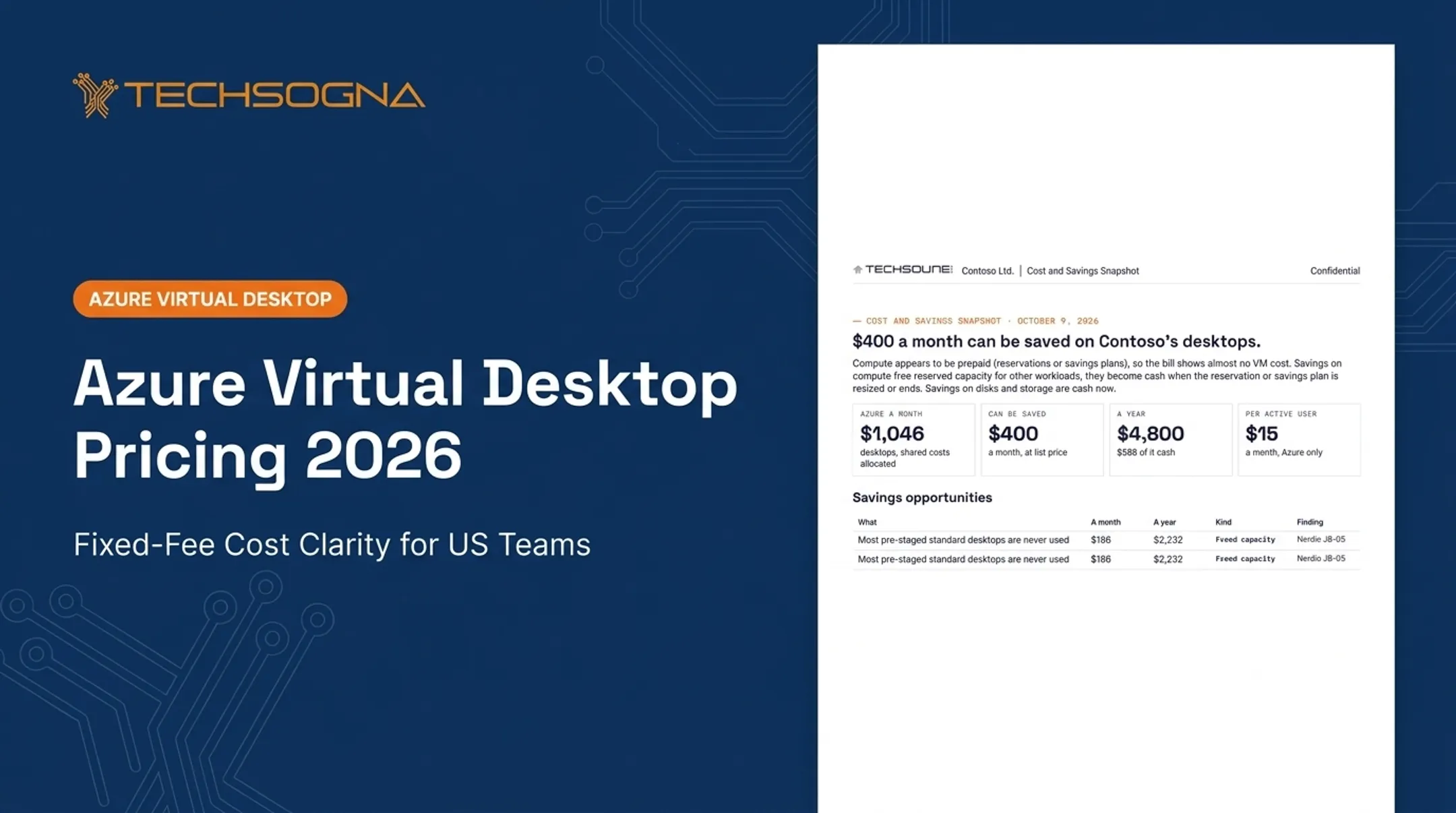
For example, in one production environment both session hosts used the Windows_Client license type. Users' Microsoft 365 or Windows licenses covered Windows, so Azure added no Windows charge. Profile storage ($412/month), backup ($171), and monitoring ($96) were still separate line items.

Which licenses qualify for Azure Virtual Desktop access?
Microsoft's licensing table is the source of truth, and it changes. As of its 2025 update, eligible per-user routes for Windows 10/11 Enterprise (including multi-session) include:
- Microsoft 365 E3, E5, A3, A5, F3, Business Premium, and Student Use Benefit
- Windows Enterprise E3/E5
- Windows Education A3/A5
- Windows VDA per user
Newer Product Terms also list Microsoft 365 E7, G3, and G5, and use "Windows VDA E3/E5" wording. Windows Server hosts use RDS routes instead (covered below).
Microsoft 365 E3, E5, and F3 compared
| Plan | Built for | Desktop Microsoft 365 Apps | Key limits |
|---|---|---|---|
| E3 | Enterprise productivity and endpoint management | Yes | AVD infrastructure billed separately |
| E5 | E3 plus advanced security and compliance | Yes | AVD infrastructure billed separately |
| F3 | Frontline workers | No | 2 GB mailbox, 2 GB OneDrive, mobile Office only |
F3 users can reach AVD, but they get no desktop Word, Excel, or Outlook. Match the SKU to the job. A kiosk-style task app user rarely needs E5.
What Windows VDA means
Windows Virtual Desktop Access (VDA) is the entitlement to access a Windows client OS in a virtualized environment. It isn't a general Windows license. Per-user VDA follows the person across devices. Per-device licenses are not eligible for AVD Windows client access.
Microsoft 365 Apps need their own right
AVD access doesn't license Office. Shared or multi-session hosts require Shared Computer Activation plus an assigned Microsoft 365 Apps license for each user. Business Premium supports it; Business Standard doesn't.
Per-user checklist
Answer these for every user:
- Which operating system do they need?
- Pooled or personal desktop?
- Do they need desktop Microsoft 365 Apps?
- Employee or external user?
- Which Microsoft subscription do they already hold?
- Is the entitlement assigned and documented in the tenant?
Windows Server, RDS, and external-user licensing considerations
Client versus Server session hosts
Windows 10/11 hosts run on the user's eligible per-user license. Windows Server hosts need RDS rights: an RDS CAL with active Software Assurance, or an RDS User Subscription License. CAL versions must cover the Server version in use.
Azure Hybrid Benefit covers the Windows Server licensing component only, not RDS access. Current terms require a minimum of 8 core licenses per VM. Verify SA and subscription terms before relying on it.
Employees, contractors, and external users
- Internal-purpose users: employees, students, vendors, and contractors working for your organization need eligible licenses. Contractor status alone doesn't qualify them for external pricing.
- External-commercial users: third parties receiving your AVD-hosted solution can use per-user access pricing, which Product Terms prohibit for internal purposes. That pricing supports Windows 10/11 Enterprise, not Windows Server.
Microsoft's external pricing runs $10 per user per month for desktops and $5.50 for apps, billed only for users who connect that month. It sits on top of Azure infrastructure and excludes Microsoft Office.
Three scenarios
| Scenario | Questions to answer |
|---|---|
| Employee on a Windows client desktop | Is their M365/Windows license eligible? Do they need desktop Apps? |
| Contractor with temporary access | Are they doing internal work? Is an eligible license assigned, with an expiry date? |
| Windows Server-published application | Do RDS CALs with SA or subscription licenses cover every user? Is the CAL version current? |
None of these has a universal answer. Confirm each against current terms.
What contributes to the total cost of an AVD environment?
A practical formula: user entitlements + Azure compute + storage + networking + identity and security + application licensing + backup and monitoring + implementation + ongoing administration.
Compute drivers
Microsoft's cost guidance notes VM instances usually form the largest resource cost. What moves the number:
- Session-host size and workload intensity
- Pooled versus personal desktops
- Concurrency and operating hours
- Region and high-availability needs
- Scaling configuration
Use the Azure Pricing Calculator to model scenarios. In one assessed environment, peak demand was 3 concurrent users across 2 desktops, while always-on hosts counted as 100% of baseline spend.
Storage and profiles
- OS disks and data disks are billed separately
- FSLogix profiles on Azure Files or Azure NetApp Files recur monthly
- Image management, backup, and disaster recovery add more
Check what isn't backed up. One environment had a 4,300 GiB file share with no backup at all.
Purchasing options
- Pay-as-you-go: flexible, highest rate
- Reservations: 1 or 3 years, up to 72% below pay-as-you-go, compute only
- Savings plans: 1 or 3 years, estimated 11% to 65% savings, billed hourly whether used or not
- Spot VMs: no SLA and a 30-second eviction notice, so poor for production desktops
Match commitments to stable baseline workloads. Neither discount covers Windows Server licensing.
Building a realistic per-user estimate
Avoid a single price. Model these drivers separately:
- Licenses and peak concurrency
- Host utilization and storage
- Data transfer, security, and support
- Implementation
Label assumptions and revisit them as usage changes. In one documented model, monthly Azure plus licensing per active user ranged from $35 for SOC analysts to $106 for an executive persona. Personas differ, so one blended figure misleads.

How to audit and optimize AVD licensing and spend
Build the inventory
Capture a full picture of access and need:
- Users and assigned licenses
- Session-host access and roles
- Application needs
- Last sign-in
Microsoft Entra group-based licensing keeps assignment and removal consistent, but it requires Entra ID P1 or higher, and nested groups aren't supported. Since September 2024, license assignment lives in the Microsoft 365 admin center.
Be careful with duplicates. One audit found five accounts representing four people, because one person held two accounts.
Cut license waste
- Assign by role, not by blanket group
- Offboard promptly
- Review inactive users periodically
- Set expiry dates for contractors
- Don't license people who never open AVD
One License Fit review found 10 unused paid licenses costing $232 per month, or $2,784 per year. Entra has no built-in inactive-account report, and sign-in data reflects tenant activity, not AVD usage.

Run a compliance review
Confirm the rights and evidence an auditor would expect:
- Microsoft 365 Apps and Shared Computer Activation
- Client or server entitlements
- RDS rights
- External-user enrollment
- Supporting evidence for each entitlement
Keep infrastructure savings separate
These controls cut Azure consumption. They don't replace valid user licensing:
- Pooled desktops and right-sized hosts
- Scheduled shutdown and autoscaling
- Storage cleanup and budget alerts
Budgets only notify; they never stop resources.
Where TechSogna fits
TechSogna is a Microsoft Partner and Azure Virtual Desktop specialist. We review an existing tenant, document licensing and architecture assumptions, flag cost risks, and provide business-hours co-management (Monday to Friday, 9 to 6 CT). Fixed-fee assessments start at $3,500. If you want an automation layer, we can assess, deploy, or support Nerdio Manager.
Frequently Asked Questions
What are the license requirements for Azure Virtual Desktop (AVD)?
They depend on user type, Windows OS, Microsoft subscription, application needs, and client versus server hosts. Check Microsoft's current licensing documentation before deploying.
Do I need a license for a Windows VM?
Yes, but three things are distinct: the Windows OS entitlement, the AVD access right, and Azure VM charges. The answer depends on edition, licensing benefit, and deployment model.
Do I have to pay for Microsoft Azure?
Yes. Eligible access rights don't make infrastructure free. Compute, storage, networking, monitoring, backup, and other deployed services all incur charges.
What is a Microsoft VDA license?
Windows VDA entitles a user to access a virtualized Windows client environment. Verify current per-user eligibility, since per-device licenses don't qualify for AVD client access.
What are E3 and F3 licenses?
E3 suits knowledge workers and includes desktop Microsoft 365 Apps. F3 targets frontline workers, with web and mobile apps only. Choose by workload and application needs.
Is Azure Virtual Desktop the same as Remote Desktop?
No. Remote Desktop is a broader remote-access technology family. AVD is an Azure-hosted desktop service with its own architecture, licensing, and consumption model.