Introduction
Pooled and non-persistent virtual desktops share one problem. Users sign in to a different machine each day, yet they expect the same Outlook cache, browser settings, and app state every time. Copying a whole profile at each sign-in is slow and brittle.
FSLogix is Microsoft's answer. It is profile and application management technology that stores user data in virtual disk containers and attaches them at sign-in. It is not Azure Virtual Desktop, a VDI broker, or a storage platform.
This guide covers the main components, how profile attachment works, where FSLogix fits, deployment dependencies, common risks, and the questions to answer before adopting it.
Key Takeaways
- FSLogix keeps profile data in VHD or VHDX containers and mounts them during the session.
- Profile Containers, Office Containers, Cloud Cache, and Application Masking each cover a different job.
- Performance depends on storage, network, permissions, identity, and profile configuration.
- Confirm licensing, supported operating systems, and platform compatibility in current Microsoft documentation.
What Is FSLogix?
FSLogix is a set of technologies for managing user profiles and selected application data in virtual desktop, remote desktop, and other session-based Windows environments. Microsoft announced its acquisition of FSLogix on November 19, 2018, with a focus on improving the Office virtualization experience.
The central design is simple. Rather than copying profile files between a session host and a file share, FSLogix presents the profile as a virtual disk. Windows reads and writes it through the normal profile path, so applications behave as they always have.
What FSLogix is not
FSLogix does not supply the pieces of a complete desktop environment:
- Virtual machines or session hosts
- A connection broker
- An identity provider
- Application licensing
- Backend file storage
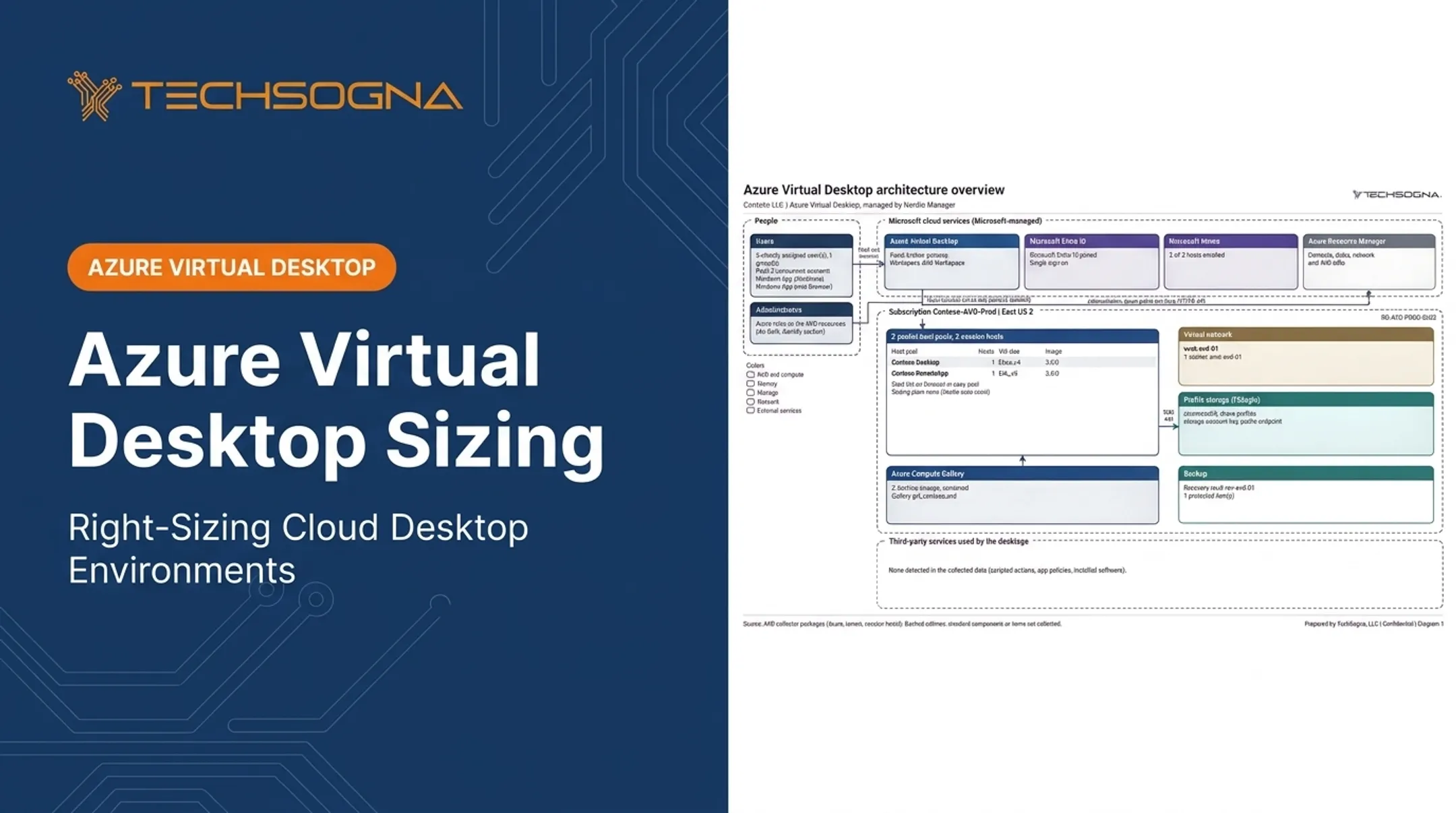
TechSogna's Azure Virtual Desktop architecture documentation reflects this: it lists FSLogix and storage as a separate component from session brokering, Entra ID, and Intune.
Common use cases
- Non-persistent and pooled desktops
- Multi-session Windows, such as Windows 11 multi-session
- Azure Virtual Desktop
- Remote Desktop Services
- Citrix and Omnissa Horizon deployments
Platform support does not mean every platform should use FSLogix. Check Microsoft's prerequisites for the current supported operating systems and licensing eligibility. Do not assume older licensing rules still apply.
What Are the Main FSLogix Components?
Profile Containers
Profile Containers are the primary component. They redirect most of a user's Windows profile into a VHD or VHDX file on network storage. Settings, application state, and profile data follow the user between sessions.
A redirections.xml file controls what gets excluded or redirected. Test exclusions against your own workloads before rolling them out.
Office Containers
Office Containers (ODFC) persist selected Microsoft 365 data such as Outlook and OneDrive caches, rather than the entire profile. They have a narrower scope than a Profile Container.
Whether to run a separate Office Container or keep Office data inside the Profile Container depends on your deployment. Follow Microsoft's container-type guidance for your scenario. Verify Teams behavior, particularly with the new Teams client, before you design around it.
Cloud Cache
Cloud Cache adds a local cache and lets you configure multiple storage locations. It can improve resilience when one path is slow or unavailable. The tradeoffs are real:
- More configuration complexity
- Local disk capacity and performance requirements
- Synchronization behavior to understand
- Additional storage cost
- Possible effects on sign-in and sign-out
Application Masking and Java Redirection
Application Masking uses rules and assignments to control which applications, fonts, and resources particular users or groups can see. It lets you serve different roles from one base image.
Java Redirection handled conflicting Java versions. Check its current support status in the release notes before you plan around it.
Agent, Policies, and Dependencies
The FSLogix agent runs on session hosts and is configured through Group Policy, registry settings, or supported management tools. It does not replace correctly configured identity, file shares, permissions, and security controls.

How Does FSLogix Work in a Virtual Desktop Environment?
At sign-in, the sequence runs roughly like this:
- The user connects to a virtual desktop.
- The agent evaluates policy.
- It locates the user's container on the configured storage.
- It authenticates to that storage.
- It mounts the virtual disk and makes the profile available to Windows.
At sign-out, the profile unloads and the container detaches. With Cloud Cache, synchronization adds extra steps at this point.
Compared with roaming profiles
Traditional roaming profiles copy files across the network at the session boundaries. FSLogix attaches a container instead, which avoids much of that copying. That does not guarantee faster sign-ins. Storage latency and availability become critical, because the profile is live on the share throughout the session.
An Azure Virtual Desktop example
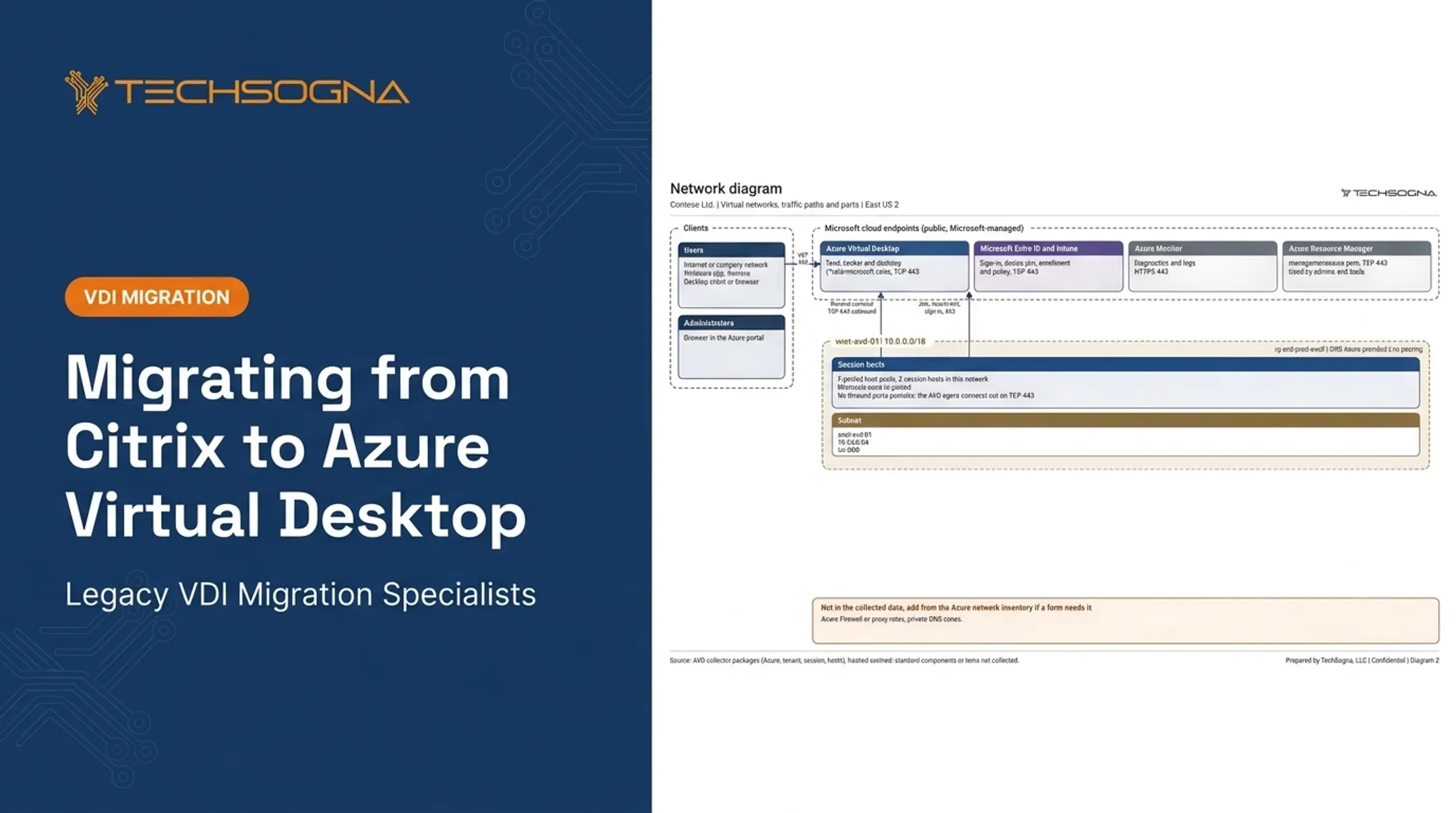
Microsoft's FSLogix storage guidance covers Azure Files and Azure NetApp Files as backends. In a typical AVD environment, the user signs in through Microsoft Entra ID and reaches a session host over TCP 443. The FSLogix profile then attaches over SMB port 445. Azure is one option here, not a requirement for FSLogix.
What Are the Benefits and Common Challenges of FSLogix?
Consistent profile access
A mounted container preserves settings and application state across pooled sessions. Don't expect specific login-time gains from FSLogix alone. Results depend on storage performance, network proximity, profile size, and peak concurrency.
In one TechSogna-reviewed environment, the profile share averaged 3.0 ms latency with a 48 ms slowest hour and no throttled requests over 30 days. That latency profile is what users feel at logon.

Storage growth
Outlook, Teams, browser, and application caches make containers grow. That affects storage consumption, backup, replication, and maintenance. Plan for:
- Profile exclusions
- Automatic disk compaction (reclaims unused space; separate from exclusions)
- Capacity monitoring
- Retention policies
Sizing surprises are common. One assessment found a premium file share provisioned at ten times its needed size, while another was nearly full.
High availability and recovery
Resilience can live at different layers: a resilient backend file service, Cloud Cache, or both. Storage failover, replication, local caching, backup, and disaster recovery are different things. Cloud Cache does not remove the need to test restores.
Microsoft's business continuity guidance notes that Azure Backup can protect container data on Azure Files, and that Azure NetApp Files uses snapshots.
Security and operational dependencies
Failed profile attachment usually traces back to a handful of causes:
- Misconfigured share or NTFS permissions
- Locked containers
- Unavailable shares
- Excessive scanning of VHD/VHDX files
- Insufficient network access
In one environment, Defender scanning of profile lock and metadata files hurt performance until those files were excluded. Storage-account-key access is another risk: anyone with local admin on a host gets full control of every profile. Moving to per-user Entra Kerberos closed that gap.
When FSLogix may not fit
Compare it with file-based roaming profiles, Citrix Profile Management, and Omnissa Dynamic Environment Manager. Look at storage model, platform alignment, application coverage, and who operates it. No option is universally better. Decide based on your desktop platform, existing tooling, storage architecture, licensing, compliance needs, and in-house skills.
FSLogix Deployment and Operations Checklist
Before you deploy
Assess these areas first:
- Desktop platform and session host model
- Profile requirements and Microsoft licensing
- Storage location and identity design
- Expected concurrency and compliance needs
- Recovery objectives
Core implementation controls
- Select supported storage
- Configure share and file permissions
- Place storage close to session hosts
- Deploy the agent and policies consistently
- Test Profile and Office Container behavior with representative users
TechSogna helps US organizations assess, design, deploy, document, optimize, and co-manage Azure Virtual Desktop environments that use FSLogix. It is a Microsoft Partner and Authorized Nerdio Partner, and its engineers hold the Azure Virtual Desktop Specialty certification. That does not imply Microsoft endorsement of any particular implementation.
Ongoing operations
Monitor these continuously:
- Profile attachment failures
- Storage capacity, latency, and IOPS
- Container growth
- Sign-in behavior
- Backup and restore readiness
- Agent updates and configuration drift
Test changes with a small group before applying them broadly.

Frequently Asked Questions
What is the current version of FSLogix?
Check Microsoft's release notes for the latest agent version and date. Third-party articles often cite older versions.
Should I use ReFS or NTFS for FSLogix?
Confirm against Microsoft's FSLogix FAQ. Support for a file server volume, the filesystem inside a container, and compaction eligibility are separate questions, so don't assume one answer covers all.
Is FSLogix a Microsoft product?
Yes. Microsoft acquired it in 2018. Verify entitlements in the FSLogix prerequisites rather than assuming every Microsoft 365 or Windows license includes it.
What is FSLogix used for?
It preserves user profiles and selected application data across virtual desktop sessions by mounting VHD or VHDX containers. Azure Virtual Desktop is a common example.
Can FSLogix be used with Citrix or Omnissa Horizon?
Yes, when platform, operating system, storage, and licensing requirements are met. Both vendors publish FSLogix integration guides. Review them before deploying.
Is FSLogix free?
It is generally obtained through qualifying Microsoft licensing or entitlements, not as a standalone free product. Confirm terms for your specific licenses.