This guide is for IT decision-makers and technical teams who need to understand how AVD components fit together before they deploy or migrate. We'll cover the Microsoft-managed control plane, what you own, host pool choices, profile storage, security, resilience, and cost.
Key Takeaways
- Microsoft runs the core AVD service; you own hosts, identities, networks, profiles, apps, and policies.
- Size host pools by user persona, app needs, concurrency, and persistence, not default VM sizes.
- Limit public exposure, apply least privilege, and treat storage, images, and hosts as separate security boundaries.
- Design documentation, monitoring, image lifecycle, and cost controls before production.
What Does Azure Virtual Desktop Architecture Include?
AVD is an Azure-hosted desktop and application virtualization service. Users connect to Windows desktops or apps running on Azure resources. The architecture has these layers:
- User devices and clients
- Identity and access
- The AVD service (control plane)
- Workspaces and application groups
- Host pools and session hosts
- Virtual networking
- Profile and file storage
- Management, security, and monitoring
Who Owns What
Microsoft operates the web, broker, gateway, and resource directory components, per Microsoft's service architecture documentation. You own session hosts, OS images, applications, network connectivity, identities, resilience, and backup and recovery. Profile storage and user data are yours too.
Microsoft's managed-service availability is separate from your own VM and profile recovery. Plan for both.
Reading the Architecture Diagram
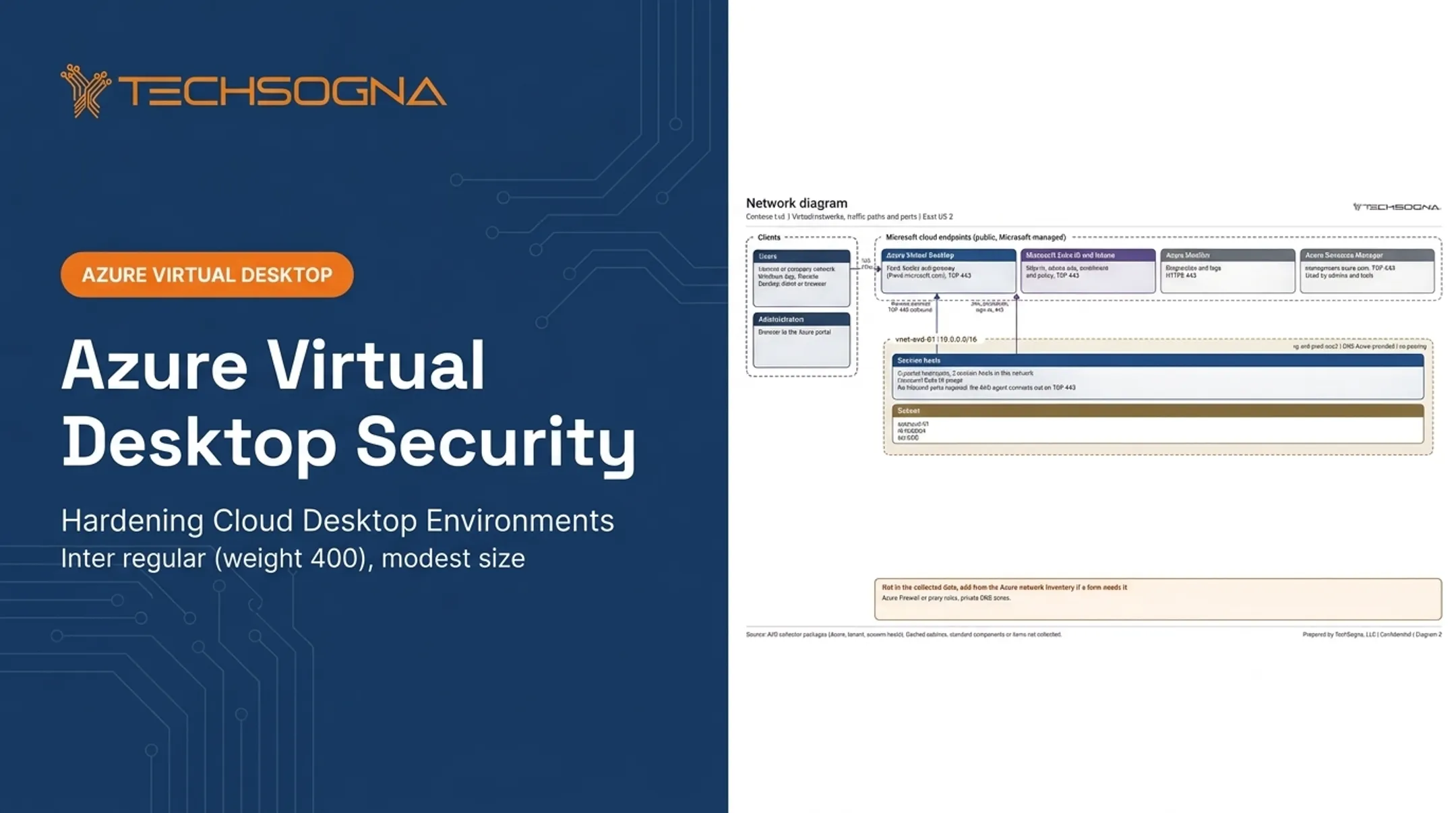
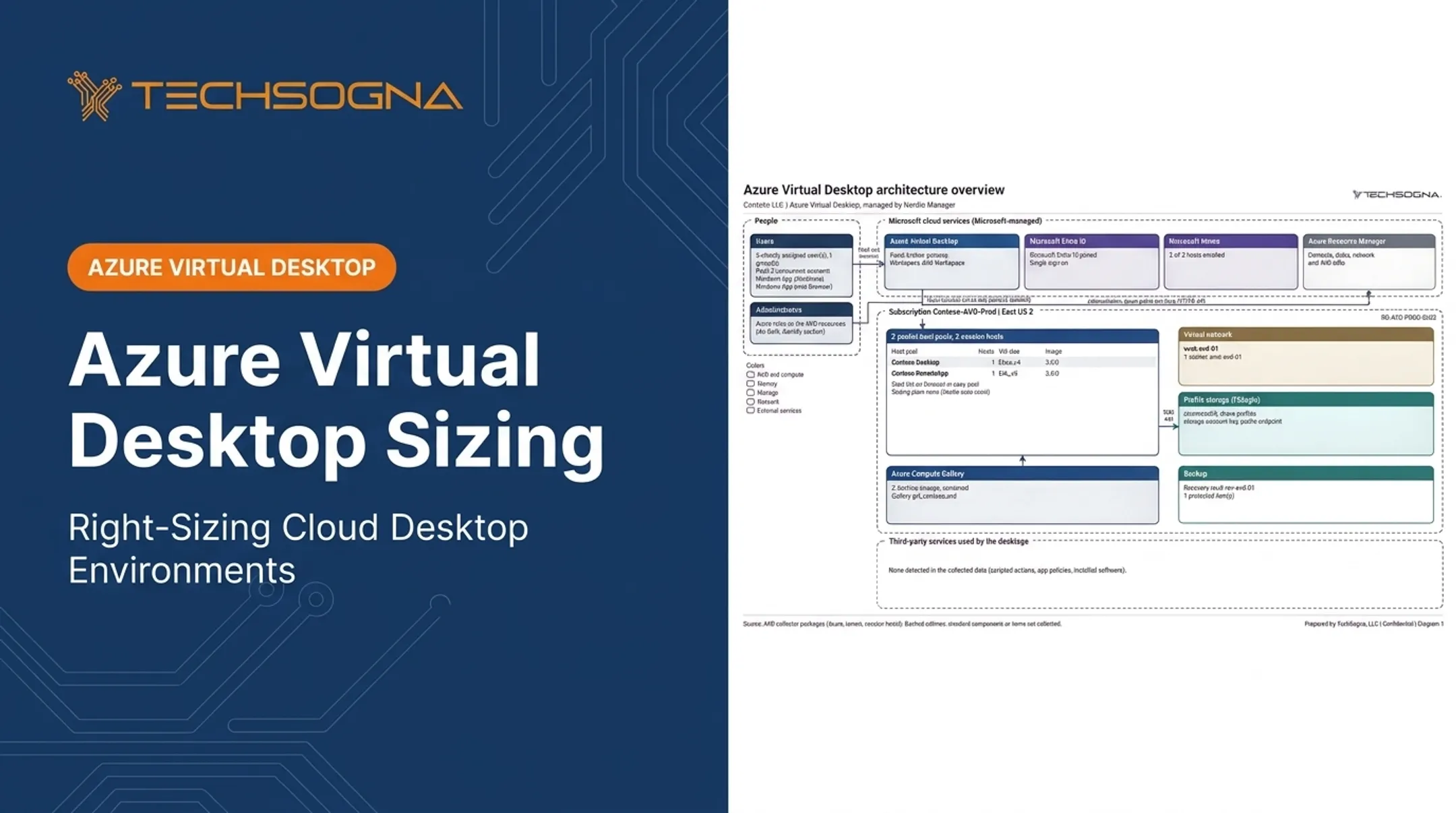
Picture a diagram read left to right. On the left sit user devices running the Windows App or a browser. Next comes Microsoft Entra ID for authentication, then the AVD service (workspaces, application groups, broker, gateway).
Then your Azure virtual network holding session hosts, with FSLogix profile storage alongside. On-premises dependencies, management tools, and monitoring sit around the edges.
Trace two paths:
- Control path: sign-in, feed discovery, brokering.
- Data path: the session itself, profile attach over SMB, app traffic, and business resources.
Label both. Anything you haven't verified should be drawn dashed, so gaps stay visible.
The User Connection Flow
- The user launches the Windows App or web client.
- Entra ID authenticates them.
- The feed shows assigned desktops and apps.
- The broker picks an available session host.
- The session connects through the AVD gateway over TCP 443.
Workspaces and application groups decide what users see. Host pools and session hosts supply the compute. Users never connect directly to a session host's IP address. Microsoft notes that no public IP or inbound TCP 3389 is required on hosts.

The legacy Remote Desktop clients lost support for public-cloud customers on March 27, 2026. Standardize on Windows App.
Dependencies Outside AVD
AVD depends on Microsoft 365, line-of-business apps, domain services, DNS, file shares, security tooling, and admin systems. For each dependency, record:
- Network path
- Authentication method
- Availability requirement
- Failure impact
Don't copy a legacy Citrix or on-premises VDI design into Azure unchanged. Ask whether each dependency still earns its place. Then build repeatable patterns with documented decisions and clear ownership rather than one-off host pools.
How Should You Design AVD Networking, Identity, and Security?
Region and Network Topology
Pick regions based on user location, application dependencies, data residency, resilience goals, and traffic patterns. Validate latency with your own testing, not universal thresholds. Microsoft recommends testing latency and bandwidth in proof-of-concept environments.
Topology follows scale and governance:
- Hub-and-spoke: shared firewall, DNS, and connectivity for larger estates.
- Regional spokes: multiple user regions with local hosts.
- Single network: a reasonable fit for smaller deployments.
Plan for virtual networks, subnets, routing, DNS, NSGs, Azure Firewall or equivalent, and private endpoints. Private Link needs private DNS, and UDP behavior needs separate design.
Reverse Connect and Allowed Flows
Session hosts start outbound connections to the AVD service. This reverse-connect model means hosts need no public IPs or inbound RDP. RDP Shortpath adds optional UDP transport and falls back to TCP if blocked.
Document every allowed flow: hosts to profile storage, domain services, management services, Microsoft 365, security tools, and business apps. Required endpoints such as *.wvd.microsoft.com:443 and login.microsoftonline.com:443 are examples, not the full allowlist.
Identity Architecture
Supported models include AD DS, Microsoft Entra Domain Services, and Entra-joined hosts. Hybrid users sync to Entra ID. Cloud-only users require Entra-joined hosts. Keep join type consistent within a host pool.
Identity choices shape profile storage, Conditional Access, admin workflows, and domain controller dependencies. Keep these three concerns separate:
- User authentication to the service
- Session host authorization
- Access to file shares or apps
Access Controls
- Require MFA and Conditional Access for users and admins.
- Use RBAC with least privilege; AVD has built-in roles such as Desktop Virtualization Contributor and Session Host Operator.
- Use Privileged Identity Management for time-bound elevation.
- Split platform, security, network, and help-desk roles.
- Document a break-glass account process.
Security and Compliance Controls
Microsoft's Cloud Adoption Framework highlights core controls such as:
- Defender for Endpoint and Defender for Cloud
- Trusted Launch for Gen2 VMs
- Windows security baselines and disk encryption with Key Vault
- Hardened images, patching, and application control
- Redirection policies, resource locks, and log retention
Retention matters for audits. Entra sign-in logs keep 7 days on Free and 30 days on P1/P2, and expired records can't be recovered. Route them elsewhere if auditors need more.
Regulated organizations should map controls to audit evidence: admin access records, configuration baselines, recovery evidence, and change history. Check Microsoft's current security baseline rather than treating fixed settings as universal.
How Should You Plan Host Pools, Compute, Storage, and User Profiles?
Pooled or Personal
Choose pooled or personal based on architecture needs, not sticker price.
- Pooled: users share hosts. Best for standardized, repeatable workloads. Higher density, easier rebuilds, but less personalization.
- Personal: dedicated assignment. Suits specialized software or persistent system-level customization. More support effort, and VM state needs its own recovery.
Map personas to pools: task workers and knowledge workers usually fit pooled; developers, administrators, and specialized-app users often need personal. Contractors depend on the data they touch. Validate with pilot users and app testing, not headcount.
Capacity Planning
- Estimate active and concurrent users.
- Group users by workload intensity.
- Identify peak periods.
- Pick candidate VM families.
- Test under realistic load.
Microsoft's sizing guidance lists up to 6, 4, 2, and 1 users per vCPU for light, medium, heavy, and power workloads. Treat that as a starting point, not guaranteed capacity.

Add headroom for maintenance, host failure, surges, image rollouts, and disaster recovery.
Autoscale follows four phases (ramp-up, peak, ramp-down, off-peak). Tune it so users aren't waiting on cold starts or running short of peak capacity.
FSLogix and App Attach don't support hibernation on personal host pools.
Images and Disks
Treat pooled hosts as replaceable. Session host updates replace VMs, and manually added files, registry entries, and certificates aren't retained. Bake customization into the image. Keep temporary data off user data paths, and document exceptions for persistent machines.
FSLogix Profile Storage
Profile storage is its own layer. Microsoft recommends a combined profile and Office data container by default. Office cache containers are optional, and Outlook data can be recreated from the mail server.
Microsoft recommends Azure Files for most customers. It is available in all regions and integrates with Azure Backup. Azure NetApp Files is limited to selected regions and brings its own snapshots and backup. Compare identity requirements, performance, region, networking, and cost for your case.
Test these before go-live:
- Sign-in storms and profile attach time
- Storage throughput and file locking
- Quota behavior
- Recovery from deletion or corruption
Applications and User Data
Test application compatibility early. Legacy MSIX App Attach was replaced by App Attach in June 2025, which mounts packages from a file share. Validate these areas before rollout:
- Licensing
- Teams optimization (new Teams needs FSLogix 2210 hotfix 3 or later)
- Printing and peripherals
- Legacy apps
Create an explicit exception process for apps that can't be delivered dynamically. Separating the base image, profile, and app layers makes updates, rollback, and recovery simpler.
How Do You Operate, Monitor, and Optimize AVD Architecture?
Operational Lifecycle
Run AVD through the full lifecycle:
- Assessment and design
- Deployment and pilot
- Production rollout
- Patching, scaling, and incident response
- Ongoing optimization
Support each stage with versioned images, validation rings, change approvals, rollback procedures, and an as-built document that stays current.
Monitoring
AVD Insights uses Azure Monitor Workbooks, Log Analytics, Azure Monitor Agent, and data collection rules. Alerts are configured separately, and Log Analytics charges apply. Watch:
- Sign-in time and session reliability
- Host availability and capacity pressure
- Profile load time and storage health
- Scaling events and app failures
- Security alerts from Defender and Entra sign-in logs
Microsoft provides investigation signals, not universal thresholds. Set yours from baseline data.
Resilience and Recovery
Distinguish four recovery jobs:
- Restoring service quickly
- Rebuilding pooled hosts
- Recovering profiles
- Protecting personal desktops
Pooled hosts are stateless, so rebuild them from the image. Profiles live in storage with backup or Cloud Cache replication. Personal VMs can use Site Recovery, with manually triggered failover.
Document recovery objectives, backup scope, regional dependencies, and restore tests. Decide whether a secondary region is justified. Microsoft's multiregion recovery figures are estimates, not SLAs.

Cost Optimization
VM compute usually dominates AVD cost. Control it through:
- Right-sizing and autoscale
- Host scheduling
- Storage tiers
- Reservations or savings plans
- Tagging, budget alerts, and cleanup of unused resources
Eligible Microsoft 365 and Windows Enterprise licenses include AVD access; compute, storage, and networking remain chargeable.
Nerdio Manager for Enterprise is an optional layer for image management, scaling, standardized workflows, and cost visibility. It installs in your Azure subscription. Azure remains the underlying platform and system of record.
Organizations without dedicated AVD specialists can use TechSogna for AVD assessment, architecture documentation, deployment support, or business-hours co-management. TechSogna is a Microsoft Partner and Authorized Nerdio Partner, and its engineers hold the Azure Virtual Desktop Specialty certification. Fixed-fee assessments start at $3,500.
Conclusion: Build AVD Around Decisions, Not Defaults
Durable AVD architecture ties user and workload requirements to deliberate choices on identity, networking, host pools, storage, apps, security, resilience, monitoring, and cost.
Start here:
- Inventory users and applications.
- Document dependencies.
- Draw a current-state or target-state diagram.
- Validate assumptions in a pilot.
- Record the decisions that will govern production.
Frequently Asked Questions
What is Azure Virtual Desktop architecture?
It combines Microsoft-managed service components with your own identity, networking, session hosts, storage, applications, security, and operations. Microsoft runs the control plane; you run the workload.
What are the main components of Azure Virtual Desktop?
Workspaces, application groups, host pools, and session hosts, plus identity, networking, profile storage, management tools, and monitoring.
How do host pools and session hosts differ in Azure Virtual Desktop?
A host pool is the logical collection and configuration of desktops. Session hosts are the Azure VMs inside it that run user sessions.
Should I use a pooled or personal host pool for Azure Virtual Desktop?
Pooled host pools share capacity for standardized workloads. Personal pools give dedicated, persistent desktops. Test with real users and apps before deciding.
How does Azure Virtual Desktop secure user access?
Through Entra ID, MFA, Conditional Access, and least-privilege RBAC. Private networking, hardened hosts, logging, and no unnecessary inbound exposure add further layers.
What does an Azure Virtual Desktop architecture diagram show?
It maps components and how they connect. A typical AVD diagram shows users, Entra ID, the AVD service, host pools, session hosts, FSLogix storage, networks, security controls, and monitoring, with control and data paths labeled.