Introduction
Employees, contractors, and specialized teams now expect secure access from wherever they sit and whatever device they carry. Meanwhile, IT leaders in US organizations have to control risk, cost, and user experience at the same time. That tension is where most EUC plans stall.
An EUC strategy is a business and operating model decision. Buying virtual desktops or endpoint-management software is only one part of it.
This guide walks through a practical framework: assess users and workloads, select delivery models, set security and governance, control cloud costs, and measure the experience over time.
Key Takeaways
- Modern EUC spans endpoints, identity, apps, desktops, security, management, and support.
- Personas, compliance duties, skills, and cost structure decide the right model.
- 2026 priorities: zero-trust access, AI governance, experience monitoring, resilience, and documented lifecycles.
- Start with an assessment and a pilot, not a workforce-wide commitment.
What Is EUC and What Should a 2026 Strategy Cover?
What end user computing includes
Google Cloud's definition describes EUC as the systems and tools that give employees the applications, data, and desktops they need, including devices and the management and security software around them.
In practice, that covers:
- Laptops and mobile devices
- Virtual desktops and cloud PCs
- Application delivery and browser-based workspaces
- Identity and endpoint management
- Help desk processes and experience monitoring
A platform delivers capabilities. A strategy sets business goals, user segments, controls, ownership, costs, and lifecycle decisions. Skipping strategy is how organizations end up with expensive platforms nobody owns.
Why EUC is a strategic concern in 2026
Hybrid work, contractors, BYOD, mergers, and continuity planning all demand fast provisioning and fast removal of access. Gartner's 2025 Magic Quadrant for digital employee experience tools frames the goal as continuous improvement. That work draws on technology data, employee sentiment, and organizational data. That makes EUC a standing planning issue, not a one-time project.
Centralizing apps, desktops, and data improves consistency and control. It does not remove the need for strong identity, endpoint, network, and application security.
User personas and workload segmentation
Build personas around application dependencies, performance needs, mobility, data sensitivity, session patterns, support needs, and employment status. Typical examples:
- Knowledge workers
- Contact-center agents
- Contractors
- Developers and GPU users
- Healthcare staff
- Financial-services employees
Giving everyone the same desktop or policy creates unnecessary cost, poor performance, or excessive privileges. TechSogna's sample Contoso persona report makes that concrete: 4 personas, 24 applications, 16 desktops, and 68 active users. Monthly costs range from $142 for SOC analysts to $520 for office staff.

The Strategic Priorities Shaping EUC in 2026
Identity-first security and compliance
Make identity the foundation of EUC security:
- Least privilege and multifactor authentication
- Conditional access and device posture checks
- Privileged access controls and session-level protections
NIST SP 800-207 holds that no implicit trust should come from network location or ownership. Virtual desktops alone are not a zero-trust architecture.
Azure Virtual Desktop supports MFA through Conditional Access, which requires Entra ID P1 or P2.
For regulated organizations, these instruments differ in scope and are not interchangeable:
- HIPAA: the existing Security Rule applies; HHS lists the January 2025 update as proposed, not final
- FTC GLBA Safeguards: covers institutions under FTC jurisdiction only
- NIST 800-171 and CMMC: CMMC assessments currently run against Rev. 2
- FedRAMP: scope depends on the agency's use case
- New York DFS: expanded MFA expectations from November 2025
Confirm which rules apply with your counsel before treating any control set as complete.
AI, automation, and policy governance
The NIST AI RMF Generative AI Profile calls for monitoring sensitive-data exposure, tracking incidents, and enforcing acceptable-use policies. Microsoft Purview applies sensitivity labels, DLP, auditing, and retention to supported Copilot interactions.
Using AI to improve EUC operations differs from letting unmanaged AI tools reach sensitive data. Set policy for both.
Automation helps with:
- Image management and app deployment
- Onboarding and policy enforcement
- Capacity planning and incident response
Keep human approval for high-impact changes.
User experience and experience-level monitoring
Infrastructure health can look fine while users suffer. Track the signals that matter:
- Sign-in performance and session responsiveness
- App launches, disconnects, and device health
- Network quality, ticket volume, and sentiment
Segment by persona, application, region, device, and connection method.
Microsoft's tooling gives you the telemetry: AVD Insights reports round-trip time, disconnects, and input delay, while Intune Endpoint Analytics scores startup and app reliability. No universal benchmark exists, so set your own baselines.
A Contoso sample snapshot shows why this matters. Typical sign-in was 50 seconds, but one in ten connections took over 2 minutes 11 seconds, mostly waiting for a stopped desktop to start.
Cloud cost control and sustainability
Model the full stack: licensing, compute, storage, networking, profile management, security tools, support labor, data transfer, backup, and idle capacity.
Microsoft's published TCO method tells you to record SKUs, regions, and estimated costs, include skills and training time, and save a baseline for variance analysis.
Practical controls:
- Right-size session hosts
- Use autoscale around ramp-up, peak, and off-peak periods
- Review utilization and license assignments
- Use showback or chargeback by business unit
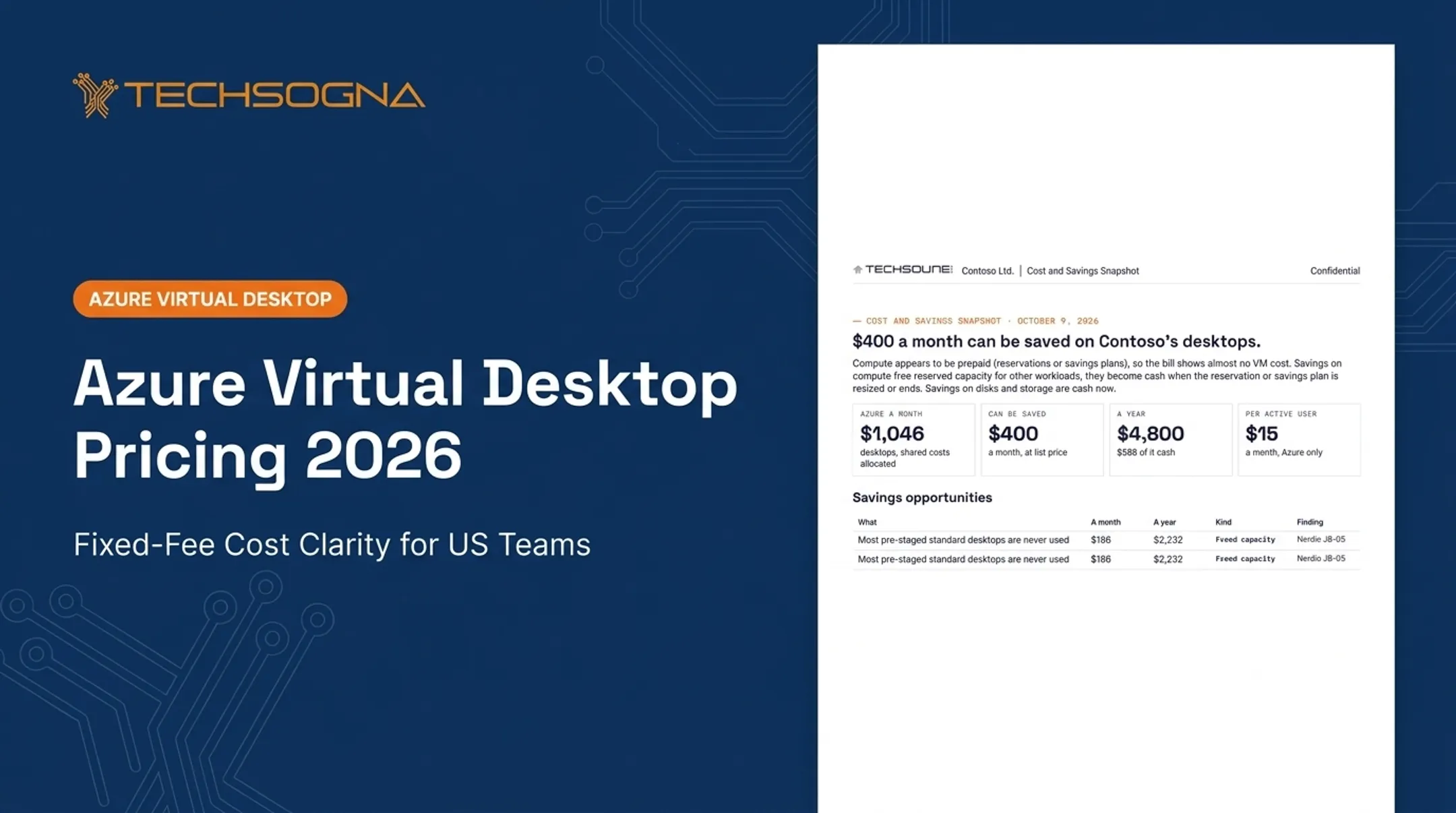
Azure budgets alert on actual and forecast spend but do not stop consumption. In a Contoso sample, unused capacity, right-sizing, and disk cleanup pointed to about $400 per month in savings, and 10 unused licenses cost $232 monthly. Your numbers will differ.

Resilience, recovery, and operational continuity
Plan for regional dependencies, identity outages, network failures, profile corruption, unavailable apps, and ransomware. Define recovery objectives, backup and restore ownership, alternate access, and test schedules.
Microsoft documents separate capabilities that are not interchangeable guarantees:
- Windows 365 point-in-time restore (changes after the restore point are lost)
- Windows 365 Reserve for temporary access
- Optional Windows 365 cross-region disaster recovery
- Azure Compute Gallery image replication for AVD
- At least two cloud-only emergency access accounts in Entra
CISA's ransomware guide advises offline, encrypted backups that you test. Runbooks and as-built records reduce dependence on individual administrators.
Choosing the Right EUC Architecture and Delivery Model
Compare the major delivery approaches
| Model | Management | Billing | Persistence |
|---|---|---|---|
| AVD | Customer Azure deployment, host pools | Eligible license plus Azure consumption | Personal or pooled |
| Windows 365 Enterprise | Images and policies via Intune | Per user, per month | Dedicated Cloud PC |
| Windows 365 Business | Standard image, up to 300 users | Per user, per month | User-assigned |
| Windows 365 Flex Dedicated | Dedicated mode (formerly Frontline) | One license, up to three Cloud PCs, one concurrent session | Data persists |
| Windows 365 Flex Shared | Shared, nonconcurrent | One licensed shared Cloud PC | Data deleted at sign-out |
AVD and Windows 365 address different operating needs. Evaluate by workload, not as interchangeable products. Verify current naming and licensing against Microsoft documentation, since Frontline became Flex in May 2026.
Match architecture to user and application requirements
Before choosing, assess requirements across:
App compatibility and licensing
Peripherals, printing, multimedia, and graphics
Latency, file access, and identity dependencies
Data residency
Full desktop: developers and users needing persistent personalization
RemoteApp or browser: contractors who need one or two apps
Pooled desktops: seasonal workers and contact centers
GPU-enabled hosts: graphics users (AVD supports GPU sizes such as NVads A10 v5)
Windows 365 Flex Shared: shift-based, nonconcurrent access
Regulated teams need hardened images and tighter controls. Users with unreliable connectivity may need local endpoints instead. Test each case in a pilot.
Hybrid and migration considerations
Moving off Citrix or on-premises VDI rarely works as rip-and-replace. Licensing can force the timing: Citrix says License Activation Service became the exclusive activation method on April 15, 2026 for affected on-premises components.
AVD Hybrid runs on Arc-enabled on-premises hosts, but Microsoft documentation states that Windows Enterprise multi-session is not supported on those hosts. AVD for Azure Local is documented separately.
Before migrating, inventory the estate:
- Images, profiles, and apps
- Network paths and authentication flows
- Policies and peripherals
Then run the cutover with:
- Pilot groups and migration waves
- Parallel operations and rollback plans
- Clear user communication
Microsoft cloud desktop and management ecosystem
A Microsoft-centered strategy combines Azure, AVD, Windows 365, Intune, Defender, Entra, and FSLogix profiles. Nerdio Manager can add management and automation:
- Provisioning and image versioning
- Policy consistency
- Autoscale
Nerdio's autoscale documentation describes these as capabilities, not validated savings. Verify figures against current official documentation.
TechSogna is a Microsoft Partner and Authorized Nerdio Partner with certified AVD and Nerdio expertise. It helps organizations assess and design Microsoft cloud desktop environments, without assuming one platform fits every customer.
Build a Practical EUC Implementation Roadmap
Assess the current state and define success
Start with a full inventory:
- Users, devices, applications, identities, and profiles
- Data locations, network dependencies, and existing VDI resources
- Tickets, security gaps, and costs
Then set baselines for security, experience, onboarding, availability, support effort, compliance evidence, and cloud cost.
Capture dependencies, risks, target architecture options, sequencing, ownership, and decision criteria in the deliverable. TechSogna's AVD Health Check runs 52 checks across eight areas in about two weeks and ends in a prioritized 30/60/90-day roadmap. Fixed-fee assessments start at $3,500, depending on environment size.

Pilot with representative personas
Cover easy and hard cases together: knowledge worker, contractor, contact-center user, developer, regulated user, and power user. Validate each persona against:
- Sign-in and profile behavior
- App compatibility, peripherals, and printing
- Security controls and collaboration tools
- Performance on realistic networks
- Support workflows and recovery
Lock go/no-go criteria, feedback channels, rollback steps, and a communications plan before you expand.
Scale, document, and transition to operations
Plan rollout waves around user readiness, app dependencies, geography, criticality, and support capacity, not department alone.
Handoff should include:
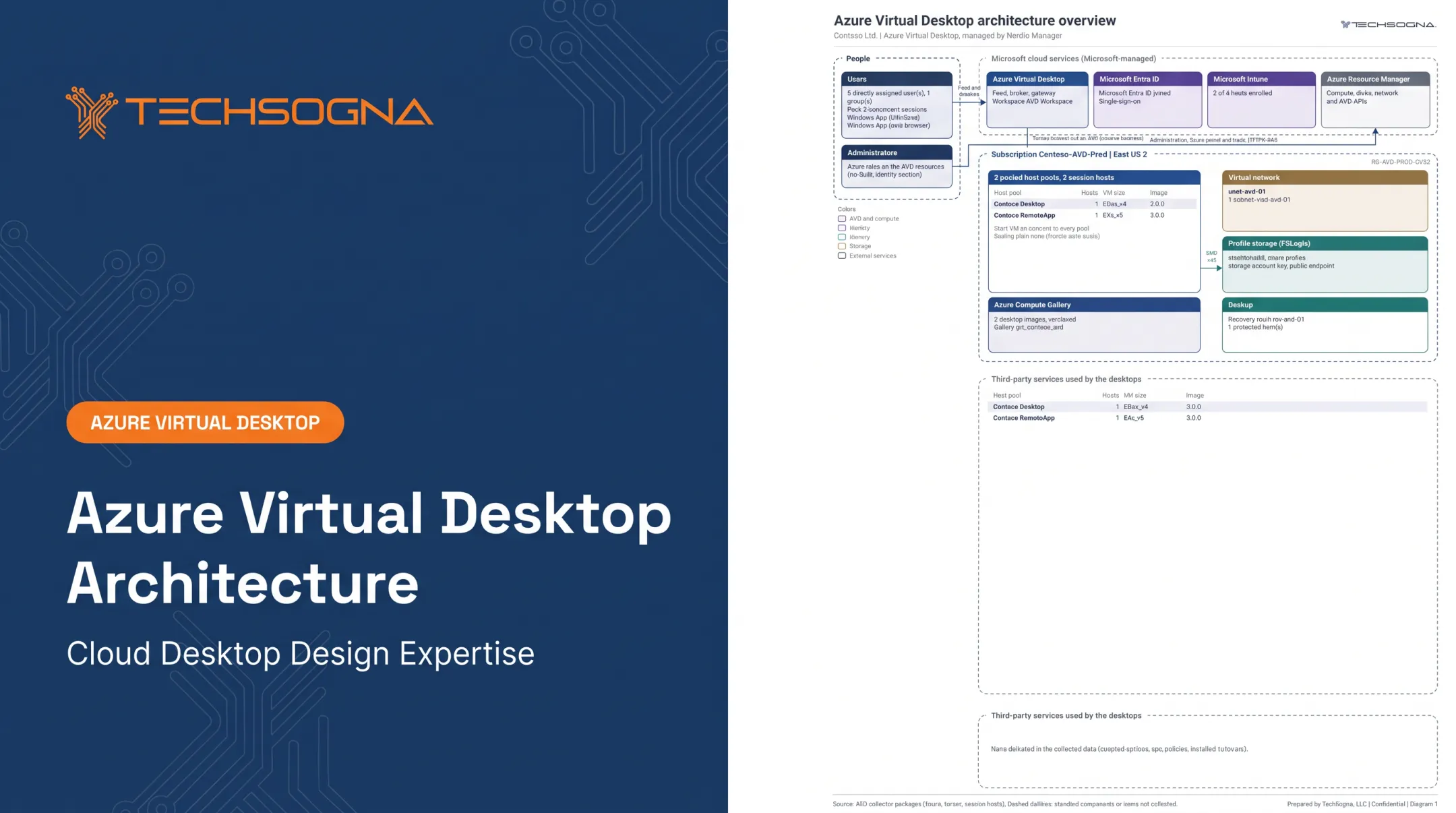
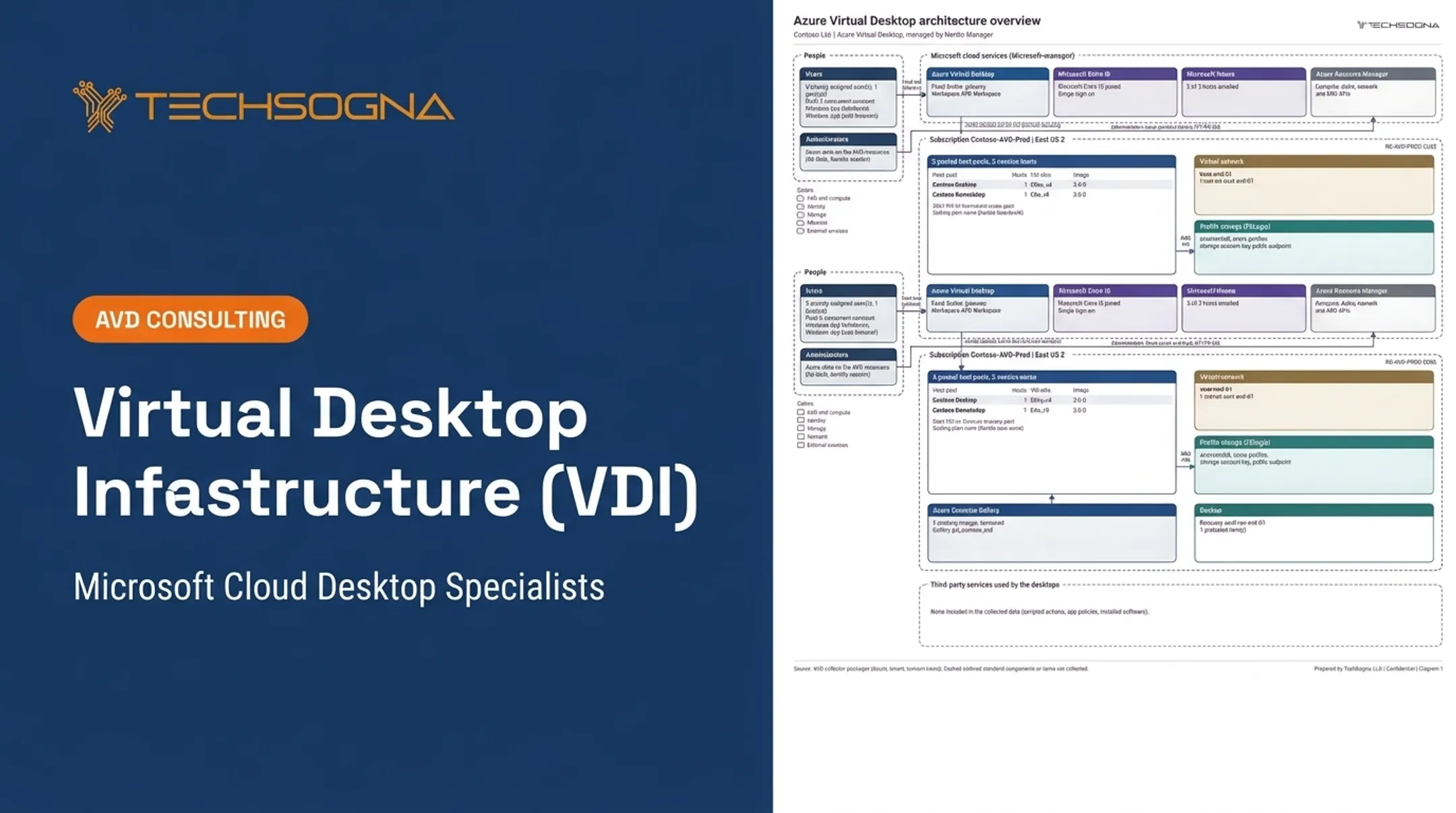
- Architecture diagrams and configuration records
- Image and app inventories
- Security baselines and runbooks
- Escalation paths and ownership matrices
Teams without AVD specialists can use independent assessment, deployment support, documentation, or business-hours co-management from TechSogna (Monday to Friday, 9am to 6pm CT). Co-management is not a takeover; your team keeps day-to-day control.
Govern, Measure, and Continuously Improve the Environment
Establish ownership and lifecycle controls
Assign responsibilities across EUC engineering, identity, security, networking, app owners, service desk, procurement, finance, compliance, and business stakeholders. Cover joiner, mover, and leaver workflows, image updates, access reviews, license allocation, profile lifecycle, and exceptions.
Entra Lifecycle Workflows automate identity lifecycle tasks, and access reviews handle recurring group and app checks. Review unsupported apps, unmanaged devices, shadow IT, excess privileges, and undocumented changes. Microsoft's Well-Architected guidance calls for version-controlled runbooks and architecture decision records.
Measure outcomes across four dimensions
Build the scorecard around these:
- Security and compliance: policy compliance, privileged-access exposure, incident trends
- User experience: sign-in and session quality, app availability, ticket drivers
- Operational efficiency: provisioning effort, capacity utilization
- Financial performance: license usage, cost by persona or business unit
For each measure, set a baseline, a target, a reporting owner, a review cadence, and a threshold that triggers corrective action. Derive targets from your own baseline rather than borrowed percentages.

Optimize through recurring reviews
Schedule architecture, security, application, capacity, cost, and experience reviews as the environment changes. Feed user and support feedback into image design, app delivery, policy exceptions, training, and service levels.
Reassessments work best when every finding gets a status such as fixed, improved, worse, new, or risk accepted. Treat EUC as a continuously managed service, not a one-time migration project.
Frequently Asked Questions
What is end user computing?
EUC is the combination of technologies, policies, and processes used to securely deliver applications, desktops, data, and device access to employees.
What is EUC in banking?
Banks use EUC to give controlled access to sensitive apps and data while supporting auditability, identity security, remote work, and contractors. FFIEC guidance notes institutions keep responsibility for cloud operations and customer information.
How do you create an EUC strategy?
Assess the current state, define personas, and map application and compliance requirements. Then select delivery models, set security and cost controls, pilot, establish governance, and measure continuously.
What is the difference between Azure Virtual Desktop and Windows 365?
AVD is a flexible, consumption-based model where you manage host pools and pay for Azure resources. Windows 365 provisions Cloud PCs with per-user monthly licensing. Verify current capabilities and licensing with Microsoft.
How does EUC improve security and compliance?
Centralized management, conditional access, reduced local data exposure, consistent policy, logging, and documented evidence all help. EUC does not replace an organization-wide security program.
What should an organization measure in an EUC strategy?
Track security posture, user experience, application performance, availability, support effort, provisioning speed, utilization, licensing, cloud spend, and continuity readiness.