Introduction
You want Azure Virtual Desktop's central access and management, but your servers, data, and hypervisors aren't going anywhere. That tension is common, and until recently AVD didn't have a clean answer for it.
Microsoft announced general availability of Azure Virtual Desktop Hybrid on September 1, 2026. It lets Windows machines on your own infrastructure act as AVD session hosts.
This article covers how the architecture works, how it differs from AVD on Azure Local, what to validate before you commit, and how to phase a rollout.
Key Takeaways
- AVD Hybrid pairs Azure's brokering and management with session hosts on your own hardware.
- Azure Local and Hybrid are different products with different guest OS, Arc, and billing rules.
- On-premises placement keeps you responsible for hosts, patching, networking, and recovery.
- Pilot with real users and applications before choosing a production design.
What Azure Virtual Desktop with On-Premises VMs Means
The control plane and session host split
Microsoft runs the AVD service: brokering, gateway, and workspace access. You run everything the session host touches, including the operating system, applications, profiles, and the hardware underneath.
An on-premises VM doesn't become an AVD environment on its own. It qualifies only when the Windows version, Azure Arc registration, AVD agent, networking, and identity setup all meet Microsoft's requirements.
Three deployment models compared
| Path | Status | Where hosts run |
|---|---|---|
| Azure-hosted AVD | Standard GA service | Azure VMs |
| AVD on Azure Local | GA since March 2024 | Your Azure Local infrastructure |
| AVD Hybrid | GA September 1, 2026 | Existing Windows VMs or dedicated headless physical hosts |
The differences matter in practice:
- Guest OS: Hybrid supports Windows 10/11 Enterprise single-session only. Hybrid excludes multi-session. Azure Local supports multi-session.
- Arc: Hybrid needs the Connected Machine agent on each host. Azure Local uses Arc VM management.
- Lifecycle: Hybrid lacks autoscale, Start VM on Connect, and power management.
- Hypervisor: Hybrid lets you keep Hyper-V, VMware vSphere, or Nutanix AHV, while Azure Local requires a registered 23H2+ instance.
Azure Government and Azure operated by 21Vianet currently have Azure Local AVD in preview. Check Microsoft's documentation for current status before you design anything.
When on-premises hosts fit
Microsoft's use cases include:
- Users with poor public-cloud connectivity
- Application or user data that must stay local
- Existing infrastructure you want to keep using
- Regulated workloads
- Phased migrations
The trade-off is plain. You own more of the stack than you would in a fully Azure-hosted design.
How the Hybrid AVD Architecture Works
The connection path
The host agent keeps a TLS channel to the broker. A client connects to an AVD gateway, and the broker orchestrates the session. The host then connects outbound to the gateway, which relays the reverse-connect tunnel. No inbound RDP listener is needed on the host.

Hybrid users connect with the Windows App. Confirm current client support in Microsoft's documentation; the Hybrid overview does not publish a separate browser matrix.
Outbound HTTPS on TCP 443 is the core requirement. Key endpoints include:
login.microsoftonline.com*.wvd.microsoft.com*.service.windows.cloud.microsoft
Hybrid also needs Arc endpoints. Use Microsoft's full endpoint table, since fixed IP ranges can't replace FQDNs.
Core components
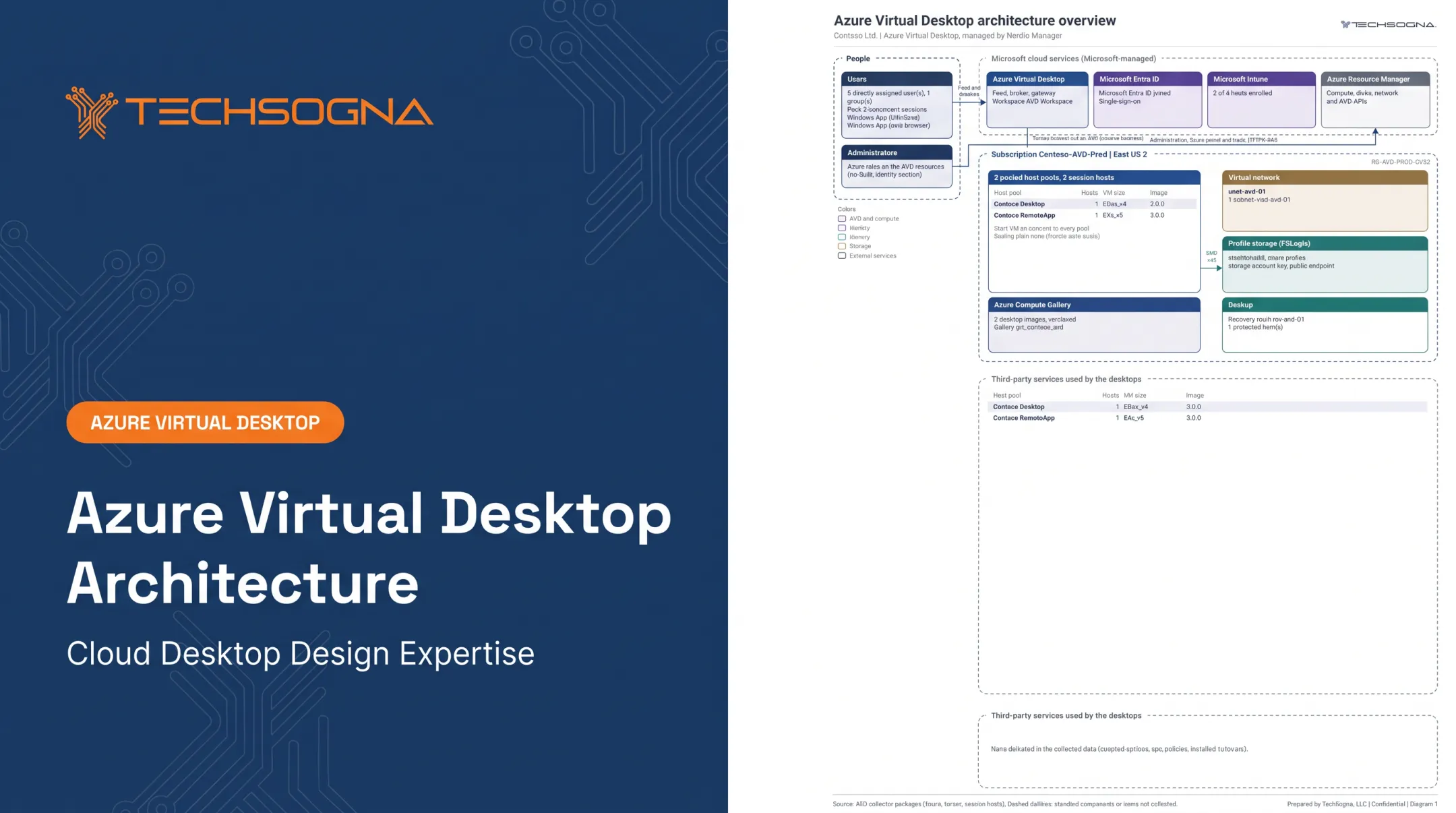
- Host pools, application groups, and workspaces live in Azure.
- Session hosts, the AVD agent, and the Arc Connected Machine agent live on your infrastructure.
- Identity, profile storage, and application backends can sit in either place or span both.
Identity dependencies
Users authenticate with Microsoft Entra ID. Host join rules differ by OS:
- Windows client hosts: Entra joined, AD DS joined, or hybrid joined.
- Windows Server hosts: AD DS or hybrid joined. Entra-only join is unsupported.
- AD DS-backed users must sync to Entra ID with matching UPN or SID.
Identity design drives sign-in, Group Policy, application permissions, and access to internal resources, so settle it early.
Connectivity, profiles, and storage
Session hosts need reliable paths to domain controllers, DNS, file shares, databases, licensing servers, and line-of-business apps. Test latency and bandwidth between users, hosts, profile storage, and critical applications, not just internet speed.
Microsoft's general AVD guidance recommends round-trip time under 150 ms from the client network to the host pool's Azure region. That isn't a Hybrid benchmark, so measure your own connections.
FSLogix profile containers attach as VHD/VHDX files over SMB. Storage can be a Windows file server, Azure Files, or Azure NetApp Files. Microsoft stresses storage proximity and workload performance rather than a universal millisecond limit.
Compare options across:
- Latency and resiliency
- Capacity and backup
- Permissions and data residency
Design Requirements and Trade-Offs
Validate the platform
Microsoft's Hybrid overview allows Windows-capable on-premises hypervisors but publishes no vendor-specific version or certification matrix for Hyper-V, vSphere, or AHV. Physical hosts must be dedicated and headless, running Windows Server 2025, 2022, 2019, or 2016. Laptops and personal PCs are excluded.
Running Windows isn't enough. The hypervisor, guest OS, Arc integration, and AVD agent must all be supported, so confirm with Microsoft before you buy hardware.

Assess these before registering anything:
- CPU, memory, and storage IOPS against concurrent users
- Graphics needs
- High-availability design and spare capacity
Microsoft's session-host sizing estimates are Azure-VM-based, not on-premises benchmarks.
Test the user experience
Microsoft's guidance on Teams optimization, multimedia redirection, and GPU acceleration doesn't establish a Hybrid-specific matrix. A gap in the docs does not mean the feature is unsupported, so plan to test it. Cover:
- Teams calls and video
- Printing, scanning, USB, and smart cards
- GPU workloads and browser-heavy apps
Set measurable pass criteria: sign-in time, app launch time, responsiveness, profile load time, and reconnection behavior. Record your own numbers.
Identity, network, and access readiness
Confirm these foundations before you register hosts:
- Domain controllers reachable, DNS and time sync correct
- Firewall, proxy, and outbound URL rules in place
- Conditional Access and MFA tested on managed and unmanaged endpoints
- Administrative roles separated with least privilege
RDP Shortpath documentation covers ExpressRoute private peering and site-to-site or point-to-site VPN for managed networks, but Microsoft gives no separate Hybrid guarantee. Validate any private link against your own traffic.
Images, apps, and profiles
Golden images, versioning, patching, and rollback keep on-premises hosts consistent. Test legacy applications, licensing servers, kernel-level components, and anything that misbehaves in shared sessions.
Availability and recovery
Hybrid hosts still depend on Azure-hosted brokering, so plan for connectivity loss. Microsoft's Azure Local architecture guidance recommends HA, backups, monitoring, and regular failover tests that simulate power, hardware, and network failures.
Compare your recovery options honestly:
- Restore a VM
- Rebuild from an image
- Fail over to Azure capacity
- Run a second site
Then write an ownership matrix covering:
- AVD configuration
- Hypervisor operations
- Guest patching
- Monitoring
- Incident response
- Capacity
- Backup
- Microsoft escalation
Security, Management, and Cost Considerations
Security
Microsoft recommends MFA, Conditional Access, and its AVD security baseline. Add these controls on top:
- Privileged access controls
- Defender
- Hardened images
- Local administrator limits
- Network segmentation
Data residency alone is not a compliance conclusion. Map your controls to the frameworks that apply to you, with evidence.
Operations and monitoring
Watch these signals together:
- AVD connection health
- Hypervisor health and VM availability
- CPU and memory pressure
- Storage latency
- Profile containers
- Network paths
AVD Insights relies on Azure Monitor Agent, data collection rules, and Log Analytics.
Keep documentation current:
- Architecture diagrams and As-Builts
- Image inventories and host-pool settings
- Firewall rules and recovery procedures
- Change records
Licensing and cost
Several charges stack, and none replaces another:
- User access rights: Eligible Microsoft 365 E3/E5/F3, Windows Enterprise, or per-user VDA licensing.
- Hybrid service fee: Microsoft's pricing sheet lists $10 per user per month, plus session-host licensing.
- Windows Server and RDS: Server hosts need a Windows Server OS license and qualifying RDS rights.
- Azure Local: A per-core Local fee plus an AVD fee per active virtual core.
- Arc: Basic Arc features are free, but attached services can cost extra.
- Your own costs: Compute, hypervisor, storage, networking, backup, security tooling, and staff.
Build a workload-based model rather than comparing VM prices. Confirm current eligibility in Microsoft's licensing guidance.
A Practical Deployment Roadmap for Hybrid AVD
Assess first
Inventory the environment before you pick a path:
- Users, applications, and session types
- Identity dependencies and data locations
- VMs, hypervisors, and network paths
- Compliance needs, recovery objectives, and current costs
Then choose Azure-hosted, Azure Local, existing VMs, or a mix. Build in a decision point to recheck Microsoft's support and availability at that time.
Pilot with acceptance criteria
Microsoft's official Hybrid sequence runs as follows:
- Provision supported machines.
- Arc-enable them.
- Configure the host pool, workspace, and application group.
- Run the AVD Arc extension on each host.
Before that, register Microsoft.DesktopVirtualization, grant the right AVD permissions, and give the pool's managed identity Reader access to the Arc-server resource group.
Publish a limited desktop or RemoteApp set, configure profiles, apply security policies, and test representative users. Accept the pilot only when these checks pass:
- Authentication and app compatibility
- Performance and profile persistence
- Printing and session recovery
- Monitoring and failure scenarios
Move to production
Migrate users in phases. Keep these controls in place:
- Rollback plans and capacity thresholds
- Escalation paths and validated backups
- Regular cost and performance reviews

TechSogna is a Microsoft Partner and Authorized Nerdio Partner with Azure Virtual Desktop Specialty-certified engineers. The team helps mid-sized organizations with existing on-premises servers or legacy Citrix environments extend into Azure without a full rip-and-replace.
Services include:
- Fixed-fee, read-only AVD health checks and As-Built documentation, starting at $3,500
- Hybrid architecture design and deployment
- Nerdio Manager guidance where it applies
- Business-hours co-management (Monday to Friday, 9am to 6pm CT), with your team keeping day-to-day control
Frequently Asked Questions
Can Azure Virtual Desktop run on on-premises VMs?
Yes. AVD Hybrid, generally available since September 1, 2026, lets supported Windows VMs or dedicated physical hosts act as session hosts. Verify platform support and licensing in current Microsoft documentation.
What is the difference between AVD on Azure Local and AVD Hybrid?
Azure Local is Microsoft's integrated infrastructure stack and supports multi-session Windows. Hybrid extends AVD to your existing infrastructure but excludes multi-session. Billing and Arc requirements also differ.
Does AVD with on-premises VMs require Azure Arc?
Hybrid does: each host needs the Connected Machine agent plus the AVD Arc extension. Azure Local relies on Arc VM management instead. Confirm prerequisites for your chosen path.
Which on-premises platforms can host session hosts?
Microsoft's overview permits Windows-capable hypervisors such as Hyper-V, VMware vSphere, and Nutanix AHV, plus dedicated headless physical Windows Server hosts. No vendor-specific version matrix is published, so confirm yours.
What licenses and costs apply?
Expect user access rights, the Hybrid service fee or Azure Local charges, Windows Server and RDS licensing, plus infrastructure, storage, backup, and support. An existing license doesn't cover all of it.
Where are profiles and application data stored?
On-premises or in supported Azure storage, such as Azure Files, depending on performance, identity, backup, resiliency, and residency needs. Design placement deliberately rather than assuming it.