That's why budgets go wrong. Teams multiply a VM rate by headcount, then discover storage, profiles, backup, monitoring, and staff time. The final US cost shifts with desktop model, VM size, concurrency, operating hours, region, licensing, and management needs.
This guide separates Microsoft licensing from Azure consumption, walks through three illustrative scenarios, flags the costs people miss, and shows how to validate an estimate with Microsoft's own tools.
Key Takeaways
- No universal "AVD price per user" exists; every estimate needs stated assumptions.
- Eligible Windows or Microsoft 365 licenses cover access, but Azure infrastructure is billed separately.
- Compute usually dominates, yet storage, profiles, backup, and labor move the total.
- Pooled hosts, right-sizing, and autoscaling cut waste when matched to real usage.
- The cheapest estimate fails if it hurts performance or compliance.
How Much Does Azure Virtual Desktop Cost? (2026 Pricing Overview)
Microsoft separates user access rights from consumption-based infrastructure. Microsoft's pricing page states that pricing includes both. An eligible license makes access cost nothing extra, but the environment itself is never free.
Misreading this causes predictable problems:
- Underbudgeting session hosts, storage, profiles, or network services
- Treating every employee as a dedicated, always-running desktop user
- Leaving out implementation, image management, security, backup, monitoring, and support
Typical Cost Scenarios
The figures below are illustrative. They use East US list rates (USD) from Microsoft's retail price feed: D4s_v5 at $0.192/hour, D8s_v5 at $0.384/hour, E4s_v5 at $0.252/hour, and NV6ads_A10_v5 at $0.454/hour. Windows client AVD hosts bill at Linux compute rates. The calculator's default is 730 hours per month.
| Scenario | Users / peak | Hosts | Schedule | Compute estimate |
|---|---|---|---|---|
| Light pooled | 100 / 40 | 4 × D4s_v5 (16 vCPUs) | 220 hrs/month | about $169 |
| Standard pooled | 400 / 200 | 12 × D8s_v5 | 220 hrs/month | about $1,014 |
| Advanced personal/GPU | 30 / 30 | 30 × NV6ads_A10_v5 | 730 hrs/month | about $9,942 |

Treat all three rows as compute only, in East US, pay-as-you-go, with no labor included. Corrected compute totals:
- Light: about $169/month (4 × $0.192 × 220)
- Standard: about $1,014/month (12 × $0.384 × 220)
- Advanced: about $9,942/month (30 × $0.454 × 730)
Each scenario still needs storage, profiles, backup, monitoring, and networking. Microsoft 365 or Windows licenses you already own stay out of the Azure bill. New license purchases, one-time implementation, support, and taxes sit on separate lines.
A simple framework covers the full picture:
Access rights + compute + storage and profiles + networking + security and management + implementation and labor
Recheck every figure against current Microsoft rates.
Key Factors That Affect Azure Virtual Desktop Cost
Architecture, user behavior, licensing, purchasing choices, and operational effort all shape the total cost.
User Access Rights and Microsoft Licensing
Per Microsoft's licensing guidance, eligible client licenses include Microsoft 365 E3, E5, A3, A5, F3, Business Premium, Windows Enterprise E3/E5, and Windows VDA per user. Windows Server hosts require RDS CALs or RDS user subscription licenses.
External commercial users are billed per user per month in East US: $5.50 for apps, $10 for desktops and apps. That is an access charge, not a desktop cost.
Related services need their own entitlements. Standalone AVD access excludes Office, Defender XDR, and Universal Print. Conditional Access needs Entra ID P1/P2, and Intune needs its own license. Verify names and rates in Microsoft's documentation before purchase.
Desktop Model, VM Size, and Concurrency
Pooled desktops let users share hosts. Personal desktops assign one VM per user. Microsoft's sizing guide suggests these maximum users per vCPU as starting points, not guarantees:
- Light: 6
- Medium: 4
- Heavy: 2
- Power: 1
A "per-user" number moves with sharing, graphics needs, and peak overlap. Note that NVv4 retires September 30, 2026, so plan GPU sizes accordingly.
Region, Runtime, and Purchasing Model
Rates differ by US region, so compare the ones you'd use.
- Reserved VM Instances: up to 72% off for 1 or 3 years
- Savings plan for compute: up to 65%, billed hourly even when unused
- Spot: up to 90% off, but interruptible with 30 seconds' notice
Those maximums come from specific Linux configurations, not promised AVD savings. Commit only to a stable baseline.
Runtime Management and Autoscaling
Idle hosts are the classic leak. Stopped-but-allocated VMs still bill; deallocated ones don't. Scaling plans support ramp-up, peak, ramp-down, and off-peak phases. Microsoft says autoscale has no extra charge. Keep enough capacity at peak, or users wait.

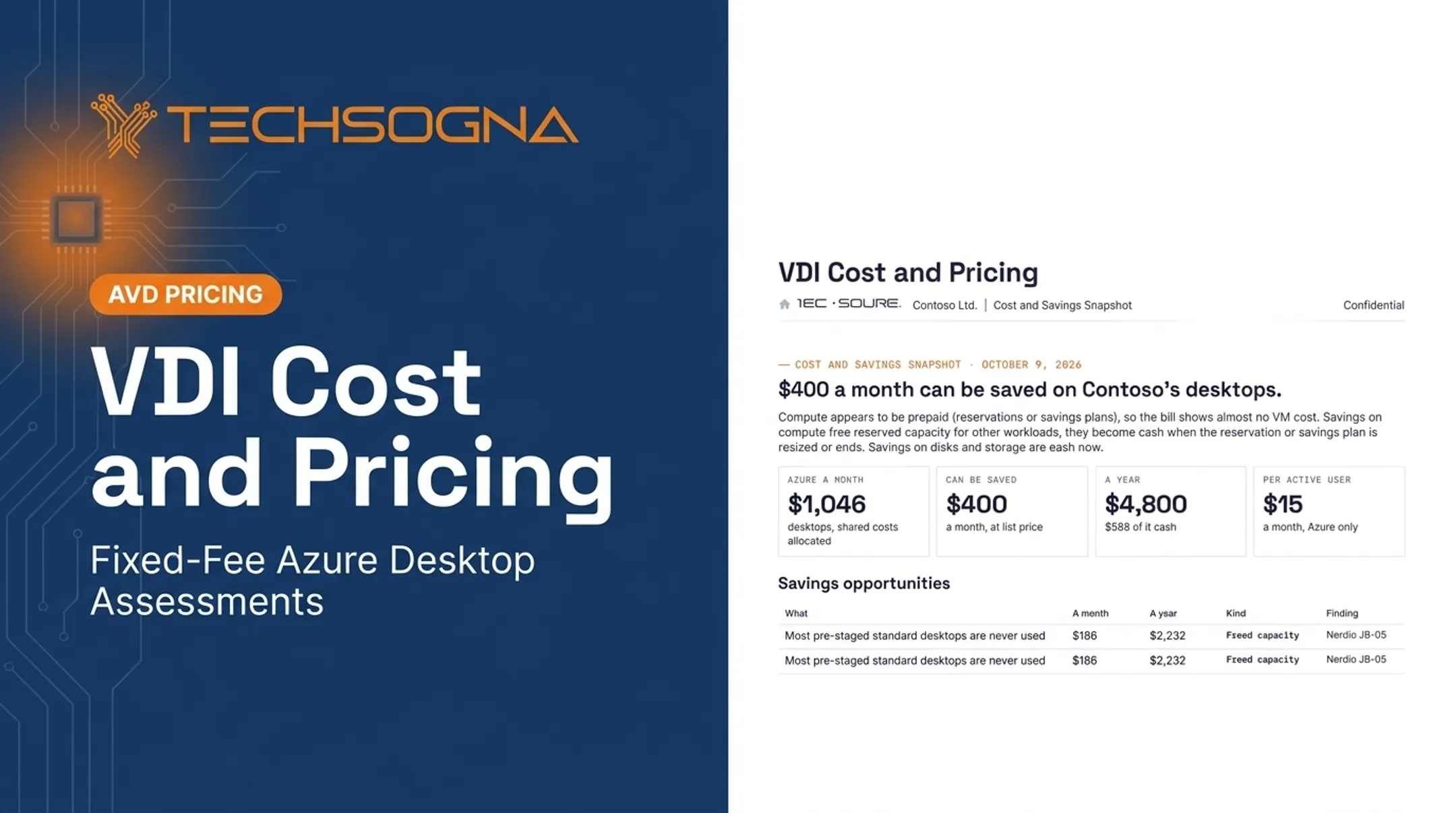
In one TechSogna sample, pre-staged office desktops sat unused 58% of the time, about $186 per month.
Storage, Networking, Security, and Resilience
These services each meter separately:
- Disks and FSLogix profiles
- Snapshots, backup, and Site Recovery
- Egress (first 100 GB/month free)
- Log Analytics ingestion
- Defender and firewall services
Separate required from optional services so a lab estimate isn't mistaken for a production budget.
Cost Breakdown of Azure Virtual Desktop
Map every AVD dollar to one-time, recurring, or periodic costs so nothing sits in the wrong bucket.
| Category | Type | What to include |
|---|---|---|
| Access rights and licensing | Recurring | Owned vs. new licenses, external users, Entra, Intune, Defender |
| Compute and session hosts | Recurring | VM family, host count, runtime, region, purchasing model |
| Storage, profiles, images, backup | Recurring and periodic | Disks, FSLogix, snapshots, retention, replication |
| Networking, monitoring, security | Recurring | Egress, private networking, logging, identity controls |
| Implementation and support | One-time and recurring | Design, migration, images, patching, reviews, internal staff time |
Two costs often climb after go-live:
- Profile storage and retained backups grow as users and retention policies accumulate
- Internal staff hours still count, even when no consultant is hired
How to Estimate the Right Azure Virtual Desktop Budget
Budget for workload fit, user experience, security, and lifecycle cost, not the lowest visible rate.
Low-Cost vs. High-Cost AVD Designs
Lower-cost designs typically use:
- Pooled multi-session hosts with realistic density
- Right-sized VMs and business-hour schedules
- Autoscaling and suitable storage tiers
- Existing Microsoft licenses
Higher-cost designs add premiums that each need a business reason:
- Personal desktops, GPU, or high-memory VMs
- Low density and constant uptime
- Premium storage and multi-region recovery
- Heavy compliance controls
A Practical Budgeting Process
- Profile users by workload.
- Identify peak concurrency.
- Choose pooled or personal.
- Estimate operating hours.
- List applications and profile needs.
- Record security and compliance requirements.
- Build the estimate in the Azure Pricing Calculator.

Then produce three numbers:
- Baseline recurring cost
- Peak or seasonal capacity
- One-time implementation plus ongoing operations
Validate with a pilot, Azure Cost Management data, and budget alerts (which notify but don't stop spending).
What Most People Miss
- Idle session hosts and oversized VMs
- Orphaned disks and profiles (one sample showed $39/month in unattached disks)
- Retained snapshots and cross-region recovery
- Outbound data transfer and premium licenses
- Image maintenance and staff time
Regulated organizations should also budget for hardening, Conditional Access, Intune and Defender configuration, audit evidence, and recovery testing. None of that is automatic in base AVD pricing.
Teams without in-house AVD expertise can use TechSogna's independent assessment covering architecture, rightsizing, licensing assumptions, security, and documentation. Fixed-fee AVD assessments start at $3,500, tiered by environment size.
Conclusion
AVD pricing in 2026 combines access rights, Azure consumption, supporting services, implementation, and operations. The most useful estimate documents clear assumptions for:
- Region and VM configuration
- Concurrency and runtime
- Licensing, storage, and network
- Security and support
Start with an official Azure Pricing Calculator estimate, then run a workload-based review or pilot before committing to a reservation or savings plan.
Frequently Asked Questions
How much does an Azure Virtual Desktop license cost?
Eligible Windows, Microsoft 365, or RDS licenses often cover internal users with no extra access fee. External access is $5.50 (apps) or $10 (desktops and apps) per user per month in East US. Azure infrastructure is billed separately.
How much does an Azure VM cost per month?
Monthly cost depends on series, size, region, hours running, purchasing model, and whether idle VMs are deallocated. A D4s_v5 at $0.192/hour for 730 hours is about $140. Verify your configuration in the Azure Pricing Calculator.
Does Azure Virtual Desktop cost money?
Access may cost nothing extra with eligible licenses. Running the environment still creates Azure charges for compute, storage, networking, profiles, security, and backup.
What is included in Azure Virtual Desktop pricing?
Pricing covers user access rights and Azure consumption. Session-host compute, storage, networking, identity, monitoring, backup, security, implementation, and support depend on your design.
How can I reduce Azure Virtual Desktop costs?
Use pooled desktops, right-size VMs, plan concurrency accurately, and enable autoscaling. Clean up unused disks, set budget alerts, and use reservations or savings plans only for stable baselines.